
Learn how to launch your online store with this Shopify store setup guide. Follow our step-by-step tutorial to create and optimize your Shopify store in 2026.
Why Setting Up Shopify the Right Way Matters in 2026
Starting an online store has become easier than ever, but setting it up the right way is what truly determines long-term success. In 2026, the ecommerce industry is more competitive, and businesses need a solid foundation to stand out. Following a proper shopify store setup guide ensures that every part of your store—from design to payments—is configured correctly from the beginning.
A well-structured shopify store setup guide helps beginners avoid common mistakes that can slow down growth. Many new store owners launch their websites without optimizing product pages, payment settings, shipping rules, or SEO structure. These small issues can lead to poor customer experience, slow loading speeds, and lower search engine visibility. By following a clear shopify store setup guide, you can ensure your store is professional, user-friendly, and ready to convert visitors into customers.
Another reason why the right setup matters in 2026 is the rapid growth of online shopping and mobile commerce. Customers now expect fast, secure, and visually appealing online stores. Proper theme customization, product organization, and checkout optimization play a crucial role in building trust and improving sales performance.
In addition, a strong shopify store setup guide helps you integrate essential apps, configure analytics, and implement SEO best practices. This not only improves store performance but also makes it easier to track customer behavior and scale your business effectively.
In short, setting up your Shopify store correctly from the start saves time, reduces technical issues, and creates a strong foundation for sustainable ecommerce growth.
Plan Your Shopify Store Before You Start
Before you begin building your online store, proper planning is essential for long-term success. Many beginners jump straight into designing their store, but without a clear strategy, it becomes difficult to attract customers and generate sales. A well-structured shopify store setup guide always recommends planning the foundation of your business before creating your store.
The first step is identifying your niche and the type of products you want to sell. Choosing a profitable niche helps you target the right audience and build a focused brand. You should also research your competitors, analyze market trends, and understand what customers are currently looking for in your industry. This preparation ensures your store has a clear direction from the start.
Another important part of planning is defining your brand identity. Think about your store name, logo, brand colors, and overall style. A strong brand identity helps your store appear professional and memorable to potential customers. Most successful ecommerce businesses follow a strategic shopify store setup guide to ensure their branding and messaging are consistent across the entire website.
You should also plan your product categories, pricing strategy, and shipping methods before launching your store. Having these details ready will make the actual store setup process much smoother. When you carefully plan everything in advance using a reliable shopify store setup guide, you can avoid costly mistakes and build a solid foundation for your Shopify business.
Create Your Shopify Account and Understand the Dashboard
The first practical step in launching your online business is creating your Shopify account and becoming familiar with the platform’s dashboard. A reliable shopify store setup guide always begins with this step because the dashboard is where you will manage every aspect of your ecommerce store, including products, orders, customers, and store settings.
To get started, visit Shopify’s official website and sign up for a new account using your email address. During the signup process, you will be asked a few basic questions about your business, such as your store name, the type of products you plan to sell, and your business goals. This information helps Shopify prepare your store environment. Following a proper shopify store setup guide ensures that you enter accurate details and configure your store correctly from the beginning.
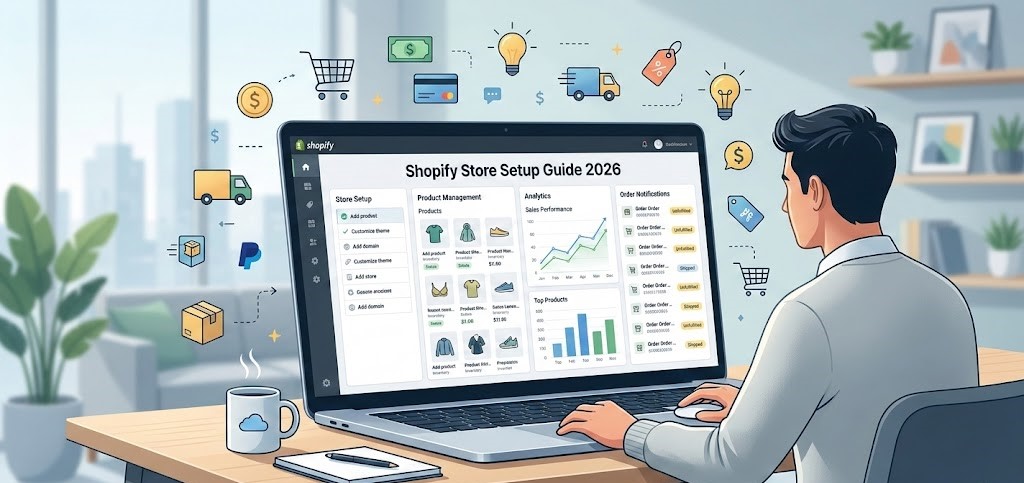
Once your account is created, you will be redirected to the Shopify admin dashboard. This dashboard is the central control panel of your store. From here, you can add products, track orders, manage customer information, install apps, and customize your store’s design. The navigation menu on the left side allows you to quickly access sections such as Products, Orders, Customers, Analytics, and Settings.
Understanding how the dashboard works is an important part of any shopify store setup guide, especially for beginners. When you take time to explore the dashboard and its features, managing your store becomes much easier. It also helps you run your ecommerce business more efficiently and make informed decisions as your store grows.
Choose and Customize Your Shopify Theme
Choosing the right theme is one of the most important steps when building your online store. Your theme controls how your store looks, how customers navigate your products, and how professional your brand appears. A well-structured shopify store setup guide always highlights theme selection because design plays a major role in customer experience and conversions.
Shopify offers a variety of free and premium themes that are designed specifically for ecommerce stores. When selecting a theme, you should focus on factors such as mobile responsiveness, loading speed, clean layout, and product display features. Since a large percentage of customers shop using mobile devices, choosing a mobile-friendly theme is essential. A reliable shopify store setup guide recommends selecting a theme that matches your niche and makes it easy for customers to browse products.
Once you select your theme, the next step is customization. Shopify allows you to customize your store’s layout, colors, typography, banners, and homepage sections through the theme editor. This makes it easy to create a unique and professional store without needing advanced coding skills. Following a proper shopify store setup guide ensures that your design elements stay consistent with your brand identity.
You can also add featured products, promotional banners, and collection sections to improve the shopping experience. When your store is visually appealing and easy to navigate, customers are more likely to trust your brand and complete a purchase. Taking the time to carefully choose and customize your theme is a key step toward building a successful Shopify store.
Add and Manage Products in Shopify
Adding and managing products is one of the most important steps when building an online store. Your products are the core of your ecommerce business, so they must be presented clearly and professionally. A complete shopify store setup guide always emphasizes proper product setup because it directly affects customer experience, search visibility, and sales performance. When your products are well organized and optimized, customers can easily find what they are looking for and feel confident about making a purchase.
Shopify provides an easy-to-use system for uploading products, adding descriptions, setting prices, and managing inventory. By following a structured shopify store setup guide, store owners can ensure that every product page contains the right information, high-quality visuals, and clear pricing details. This helps improve conversions and builds trust with customers.
Proper product management also includes organizing products into categories, tracking stock levels, and updating product details when needed. A well-managed store makes it easier for customers to browse products and complete their purchases smoothly. By carefully following a professional shopify store setup guide, you can create product pages that attract visitors and turn them into paying customers.
Adding Products to Your Shopify Store
Adding products to Shopify is a simple process that can be done directly from the Shopify admin dashboard. After logging in, go to the “Products” section and click the “Add Product” button. Here, you can enter the product title, description, images, pricing, and other important details. A reliable shopify store setup guide recommends adding clear and accurate information so customers fully understand what they are buying.
Writing High-Converting Product Descriptions
Product descriptions play a major role in convincing customers to purchase. Instead of simply listing features, focus on explaining the benefits of the product and how it solves a customer’s problem. A strong shopify store setup guide suggests using clear language, highlighting key features, and including relevant keywords to improve SEO.
Optimizing Product Images for Performance
High-quality product images are essential for building trust and improving the shopping experience. Customers want to clearly see what they are buying before making a decision. Following a proper shopify store setup guide, you should upload high-resolution images while also compressing them to maintain fast page loading speeds.
Managing Pricing and Inventory
Pricing and inventory management help keep your store organized and efficient. Shopify allows you to set product prices, compare prices, and track inventory levels automatically. Using a structured shopify store setup guide, store owners can monitor stock availability, avoid overselling, and maintain accurate product listings for their customers.
Organize Products Using Shopify Collections
As your product catalog grows, organizing items properly becomes essential for creating a smooth shopping experience. Shopify collections allow you to group related products together so customers can easily browse and find what they need. A professional shopify store setup guide always recommends using collections because they improve store navigation, product visibility, and overall user experience.
Collections help structure your store in a logical way by categorizing products based on type, style, season, or customer preferences. For example, an online clothing store may create collections such as “Men’s Wear,” “Women’s Fashion,” or “Summer Collection.” Following a clear shopify store setup guide ensures that your store layout remains organized and easy for visitors to explore.
Proper product organization also improves SEO and helps search engines understand the structure of your store. When products are grouped into meaningful categories, customers spend more time browsing your website and are more likely to make a purchase.
Manual vs Automated Collections
Shopify allows you to create two types of collections: manual and automated. Manual collections require you to add products individually, giving you full control over which items appear in the collection. Automated collections, on the other hand, automatically include products based on specific conditions such as product type, tags, or price. Most shopify store setup guide strategies recommend automated collections for stores with large product catalogs.
Best Practices for Product Organization
To keep your store organized, create collections that clearly represent your product categories and customer interests. Use descriptive titles, avoid creating too many collections, and maintain a consistent structure across your store. A well-organized store following a proper shopify store setup guide makes it easier for customers to find products quickly and improves overall shopping satisfaction.
Configure Payments, Shipping, and Taxes
Setting up payments, shipping, and taxes is a critical step when launching an online store. A proper shopify store setup guide always includes these configurations because they directly affect how customers complete purchases and how your business operates legally. When these settings are correctly configured, your store can accept payments smoothly, calculate shipping costs accurately, and comply with local tax regulations.
Setting Up Shopify Payment Gateways
Shopify supports multiple payment gateways, including credit cards, digital wallets, and third-party payment providers. Following a reliable shopify store setup guide, store owners should enable secure payment methods that are convenient for their target customers.
Configuring Shipping Rates
Shipping settings allow you to define how delivery costs are calculated. You can set flat rates, weight-based shipping, or location-based pricing depending on your business model.
Setting Up Taxes and Legal Policies
Taxes and legal policies help keep your store compliant with ecommerce regulations. A well-structured shopify store setup guide recommends configuring tax settings properly and adding clear policies such as refund, privacy, and terms of service pages.
Create Essential Pages for Your Shopify Store
Every professional ecommerce store should include a few essential pages that build trust and provide important information to customers. A well-structured shopify store setup guide always recommends creating these pages before launching your store. These pages not only improve the user experience but also make your business appear more credible and transparent. When customers can easily find information about your company, policies, and contact details, they feel more confident purchasing from your store.
About Us Page
The About Us page tells customers the story behind your brand. It explains who you are, what your business stands for, and why customers should trust your products. A strong shopify store setup guide suggests keeping this page authentic and highlighting your mission, values, and brand vision.
Contact Page
A contact page allows customers to reach you easily if they have questions about products, orders, or support. It typically includes an email address, contact form, or business details. Following a reliable shopify store setup guide, you should ensure that this page is simple and easy to access.
Shipping and Return Policies
Clear shipping and return policies help customers understand delivery timelines, shipping costs, and refund conditions. Including these policies in your store, as recommended by a professional shopify store setup guide, helps reduce confusion and improves customer trust.

Install Essential Shopify Apps
Shopify apps help extend the functionality of your online store and make it easier to manage marketing, customer engagement, and store performance. A complete shopify store setup guide always recommends installing essential apps because they can automate many tasks and improve the overall shopping experience. From email marketing tools to customer review systems and performance optimization apps, the right apps can help your store grow faster and operate more efficiently.
Marketing and Email Apps
Marketing and email apps allow you to capture leads, send promotional campaigns, and build long-term relationships with customers. According to a professional shopify store setup guide, using email marketing tools can help you recover abandoned carts, promote discounts, and keep customers updated about new products.
Customer Review Apps
Customer reviews play a major role in building trust and influencing buying decisions. Many successful stores use review apps to collect feedback and display ratings on product pages. A good shopify store setup guide suggests adding review apps to increase credibility and encourage more conversions.
Store Optimization Apps
Store optimization apps help improve performance, page speed, and user experience. These apps can compress images, optimize SEO settings, and analyze store performance. By following a proper shopify store setup guide, you can choose apps that enhance functionality while keeping your store fast and efficient.
Optimize Your Shopify Store for SEO
Search engine optimization (SEO) plays a crucial role in helping your store appear in search results and attract organic traffic. A complete shopify store setup guide always includes SEO optimization because it helps potential customers find your products through search engines like Google. When your store is properly optimized, it becomes easier to increase visibility, drive targeted visitors, and improve overall sales performance.
Shopify SEO Basics
Shopify provides built-in SEO features that allow store owners to optimize product pages, collections, and blog content. A reliable shopify store setup guide recommends using relevant keywords, clear page titles, and proper headings to help search engines understand your store content.
Optimizing Product Meta Titles and Descriptions
Meta titles and descriptions are important for improving search engine rankings and increasing click-through rates. Following a structured shopify store setup guide, you should create unique meta titles and descriptions for each product page that include relevant keywords and clear product information.
Improving Store Speed and Performance
Store speed is another important ranking factor. A slow website can negatively affect user experience and search rankings. A professional shopify store setup guide suggests compressing images, using optimized themes, and limiting unnecessary apps to keep your store fast and responsive.

Test and Launch Your Shopify Store
Before making your store live, it is important to carefully test every feature to ensure everything works smoothly. A professional shopify store setup guide always recommends testing your store before launch because even small issues can affect customer experience and sales. By reviewing your store’s design, product pages, payment methods, and checkout process, you can make sure that visitors can browse and purchase products without any problems.
Final Store Launch Checklist
Before launching your store, review a complete checklist to confirm that all essential elements are ready. A proper shopify store setup guide suggests checking product information, store navigation, payment settings, shipping options, and policy pages to ensure everything is properly configured.
Testing Checkout and Payments
Testing the checkout process is essential to make sure customers can complete purchases successfully. According to a reliable shopify store setup guide, you should place a test order to confirm that payment gateways, shipping calculations, and order confirmations work correctly.
Tracking Store Performance with Analytics
After launching your store, tracking performance is important for growth. A good shopify store setup guide recommends connecting analytics tools to monitor traffic, customer behavior, and sales performance so you can make data-driven improvements to your store.
Our Shopify Development Services
Building a successful ecommerce store requires more than just basic setup. Professional expertise ensures that your store is optimized for performance, user experience, and long-term growth. Our team follows a proven shopify store setup guide to create high-quality Shopify stores that are designed to attract customers and increase conversions. From store setup to customization and optimization, we provide complete Shopify development services tailored to your business needs.
Shopify Store Setup
Our Shopify store setup service helps businesses launch their online stores quickly and efficiently. By following a structured shopify store setup guide, we configure store settings, add products, set up payments, and prepare your store for a successful launch.
Shopify Theme Customization
A professionally designed store helps build trust and improve user experience. Our experts customize Shopify themes to match your brand identity, ensuring your store looks modern, responsive, and visually appealing.
Shopify App Integration
We integrate essential Shopify apps that enhance store functionality, including marketing tools, analytics, and customer engagement features. These integrations help automate processes and improve store performance.
Shopify Store Optimization
Our optimization services focus on improving SEO, page speed, and overall performance. By following a reliable shopify store setup guide, we ensure your Shopify store is optimized for better search visibility and higher conversions.
Why Choose Our Shopify Agency
Choosing the right Shopify partner can make a significant difference in the success of your online store. Our agency specializes in building high-performing ecommerce stores by following a proven shopify store setup guide that ensures every part of your store is properly configured and optimized. From the initial setup to advanced customization, we focus on creating stores that are not only visually appealing but also designed to convert visitors into customers.
Our team has experience working with different types of Shopify businesses, including startups, small businesses, and growing ecommerce brands. By applying a structured shopify store setup guide, we make sure your store has the right foundation, including optimized design, secure payment systems, and a smooth checkout experience.
We also prioritize performance, SEO, and user experience to help your store rank better in search engines and attract more customers. When you choose our agency, you get expert guidance, reliable support, and a complete shopify store setup guide approach that helps your business launch successfully and scale with confidence.
Our Shopify Store Setup Process
Our Shopify store setup process is designed to make launching an online store simple, efficient, and successful. By following a proven shopify store setup guide, we ensure that every step of the development process is handled professionally. From initial planning to final launch, our goal is to create a fully optimized store that delivers a smooth shopping experience and supports long-term business growth.
Consultation and Planning
Every successful project begins with proper consultation and planning. During this stage, we understand your business goals, target audience, and product strategy. Following a professional shopify store setup guide, we create a clear plan for building your store with the right structure and features.
Store Design and Development
In this stage, our team designs and develops your Shopify store according to your brand identity. We customize themes, organize products, and configure essential settings while following a structured shopify store setup guide to ensure a professional and user-friendly design.
Testing and Optimization
Before launching the store, we perform detailed testing to ensure everything works perfectly. This includes testing payments, checkout, mobile responsiveness, and store speed.
Store Launch and Support
Once testing is complete, we launch your store and provide ongoing support if needed. Our shopify store setup guide approach ensures your store is fully ready to attract customers and generate sales.
Shopify Store Setup Pricing Plans
Our Shopify store setup pricing plans are designed to suit businesses of different sizes and budgets. Whether you are launching your first online store or upgrading an existing one, our services follow a proven shopify store setup guide to ensure your store is built professionally and ready for growth. Our pricing typically includes essential setup tasks such as store configuration, theme customization, product uploading, and payment integration. By using a structured shopify store setup guide, we ensure every plan delivers a reliable and scalable ecommerce foundation for your business.
Our Shopify Portfolio
Our Shopify portfolio showcases the ecommerce stores we have successfully built and optimized for clients across different industries. Each project reflects our expertise in design, development, and performance optimization. By following a proven shopify store setup guide, we create stores that are visually appealing, user-friendly, and built to convert visitors into customers. Our portfolio highlights our ability to customize themes, organize products effectively, and implement powerful features that help businesses launch and grow their Shopify stores successfully.
What Our Clients Say (Client Testimonials)
Our clients’ success is the best reflection of the quality and dedication we bring to every project. Businesses that have worked with us appreciate our professional approach, attention to detail, and commitment to delivering high-performing Shopify stores. By following a proven shopify store setup guide, we ensure that each store is properly configured, visually appealing, and optimized for conversions.
Many of our clients highlight how our expertise helped them launch their ecommerce stores smoothly and efficiently. From store design and product setup to payment integration and performance optimization, our team handles every step using a structured shopify store setup guide. As a result, our clients experience improved store performance, better user experience, and increased customer trust. Their positive feedback motivates us to continue delivering reliable Shopify development services that help businesses grow online.
Common Shopify Store Setup Mistakes to Avoid
When launching an online store, many beginners make small mistakes that can negatively affect performance and customer experience. Following a proper shopify store setup guide can help you avoid these common issues and build a strong foundation for your ecommerce business. One common mistake is choosing the wrong theme or using a poorly designed layout that makes it difficult for customers to navigate the store.
Another mistake is uploading low-quality product images or writing unclear product descriptions. According to a reliable shopify store setup guide, product pages should always include high-quality visuals, detailed descriptions, and clear pricing information. Ignoring SEO optimization is also a common problem that can prevent your store from appearing in search engine results.
Additionally, some store owners forget to properly configure payment gateways, shipping options, or store policies before launching their website. By carefully following a complete shopify store setup guide, you can avoid these mistakes and ensure your Shopify store runs smoothly from the beginning.
Frequently Asked Questions
Many beginners have common questions when starting their ecommerce journey on Shopify. A well-structured shopify store setup guide helps answer these questions and provides clear guidance on how to launch and manage a successful online store. From choosing the right theme to configuring payments and optimizing products, understanding the basics can make the entire setup process much easier.
One common question is how long it takes to set up a Shopify store. With the help of a professional shopify store setup guide, a basic store can be created within a few hours, while a fully customized store may take several days depending on the design and features required.
Another frequently asked question is whether Shopify is suitable for beginners. The answer is yes—Shopify is designed to be user-friendly and easy to manage, even for people with little technical knowledge. By following a clear shopify store setup guide, beginners can quickly learn how to build, manage, and grow their ecommerce store effectively.
Ready to Launch Your Shopify Store? (Call To Action)
Launching a successful online store requires the right strategy, tools, and technical setup. If you want to build a professional ecommerce store without dealing with technical challenges, our team is here to help. By following a proven shopify store setup guide, we ensure that every part of your store—from design and product setup to payment integration and optimization—is handled properly.
Our Shopify experts work closely with businesses to create stores that are visually appealing, user-friendly, and optimized for conversions. Whether you are starting a new ecommerce business or improving an existing store, our structured shopify store setup guide approach ensures your store is ready to attract customers and grow online.
If you are ready to launch your Shopify store with confidence, get in touch with our team today. We will help you build a fully optimized store that supports your business goals and sets you up for long-term ecommerce success.